
When plans change
Plans change. Hold a card to change its time, its day or its picture, drag it to another day on the planning board, and anything you delete waits thirty days in the trash.
Change anything
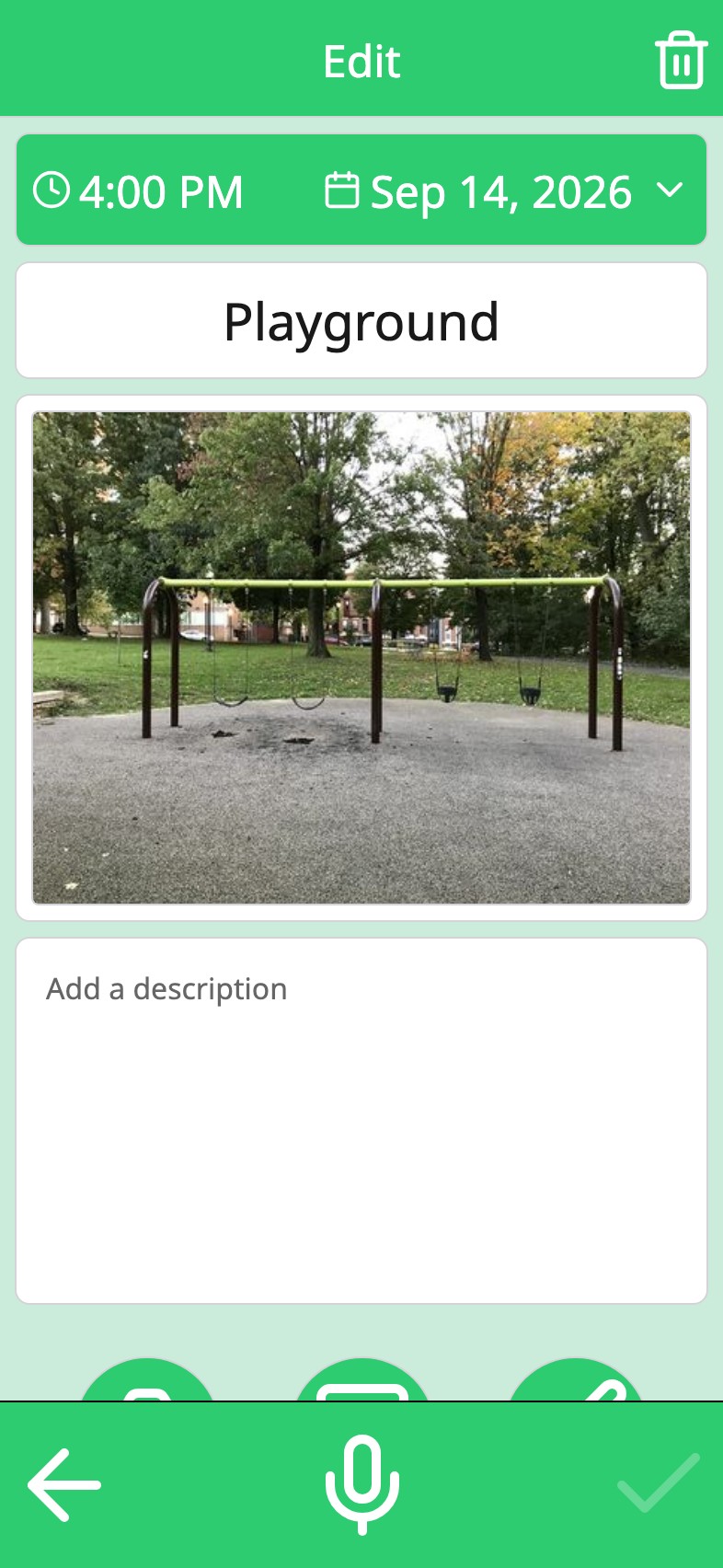
Hold a card and it opens for editing, the same form it was made with: the time, the day, the picture, the voice. A tap on the card only opens the photo full screen, so a curious finger cannot rearrange the week by accident.
Move the week around
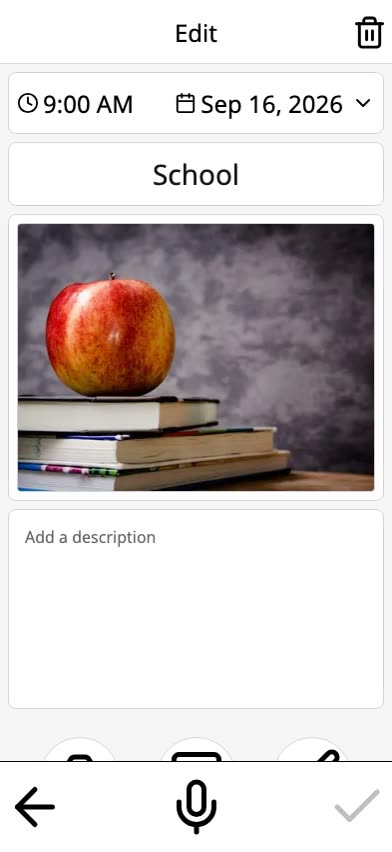
The planning board shows the week as columns, with every activity you have made in a gallery beside them. Drag a card to another day, or drag one out of the gallery to put it back in the week. Next week is a rearrangement rather than a rebuild.
Deleted, not gone
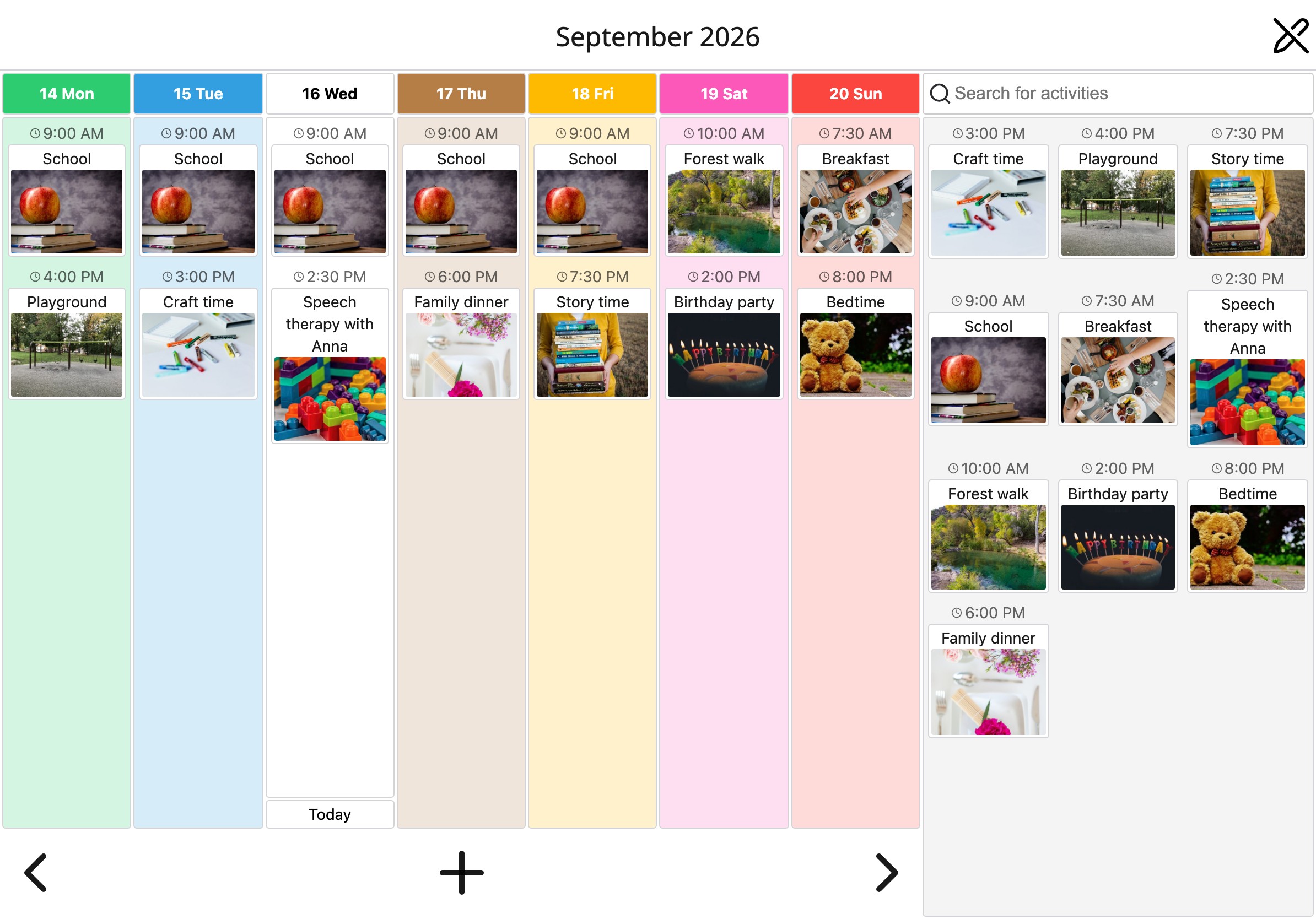
Delete an activity and it goes to the trash, with an undo right there if it was a slip. Settings shows what is in the trash and how many days each item has left. Thirty days later it is gone for good; until then, one tap brings it back.
When it repeats
Change a repeating activity and Moi Calendar asks whether you mean this day only or all days. Delete one and it asks which days you mean. The page on repeating activities has the whole of it.
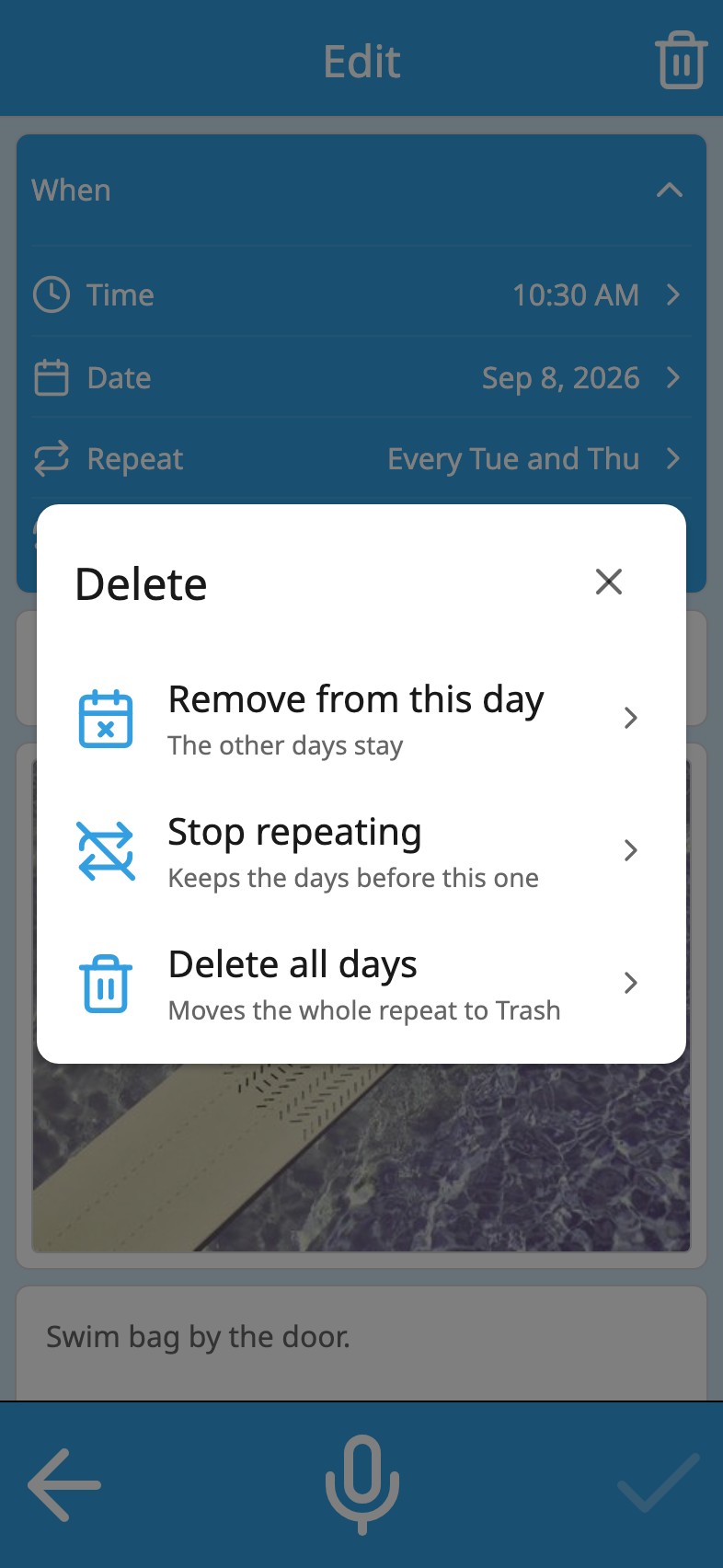
None of this is dramatic: a card that moves, an edit that keeps the photo, thirty days before anything is really gone. It is what makes a calendar survive a week that does not go to plan.
Frequently asked
Can my child delete things by accident?
A tap on a card only opens the photo; editing takes a long press, and deleting takes another tap inside the editor. If it happens anyway, the activity is in the trash for thirty days and comes back with one tap. There is no lock on the calendar today: anyone holding the device can change it.
Can I move an activity to another week?
Yes. Change its date in the activity itself, or step to the other week on the planning board and drag it in from the gallery of earlier activities, which makes a copy.
Does the trash take up space on my phone?
A little, for thirty days. After that the activity and its photo are removed from the device. Storage in Settings shows what the calendar uses.
Your week, in pictures